
Automate the 91% with no API without losing control.
Automation usually means handing a tool your credentials and routing your data through it. StitchOps does neither. The agent runs inside your environment, credentials stay in your vault, and every action is logged.
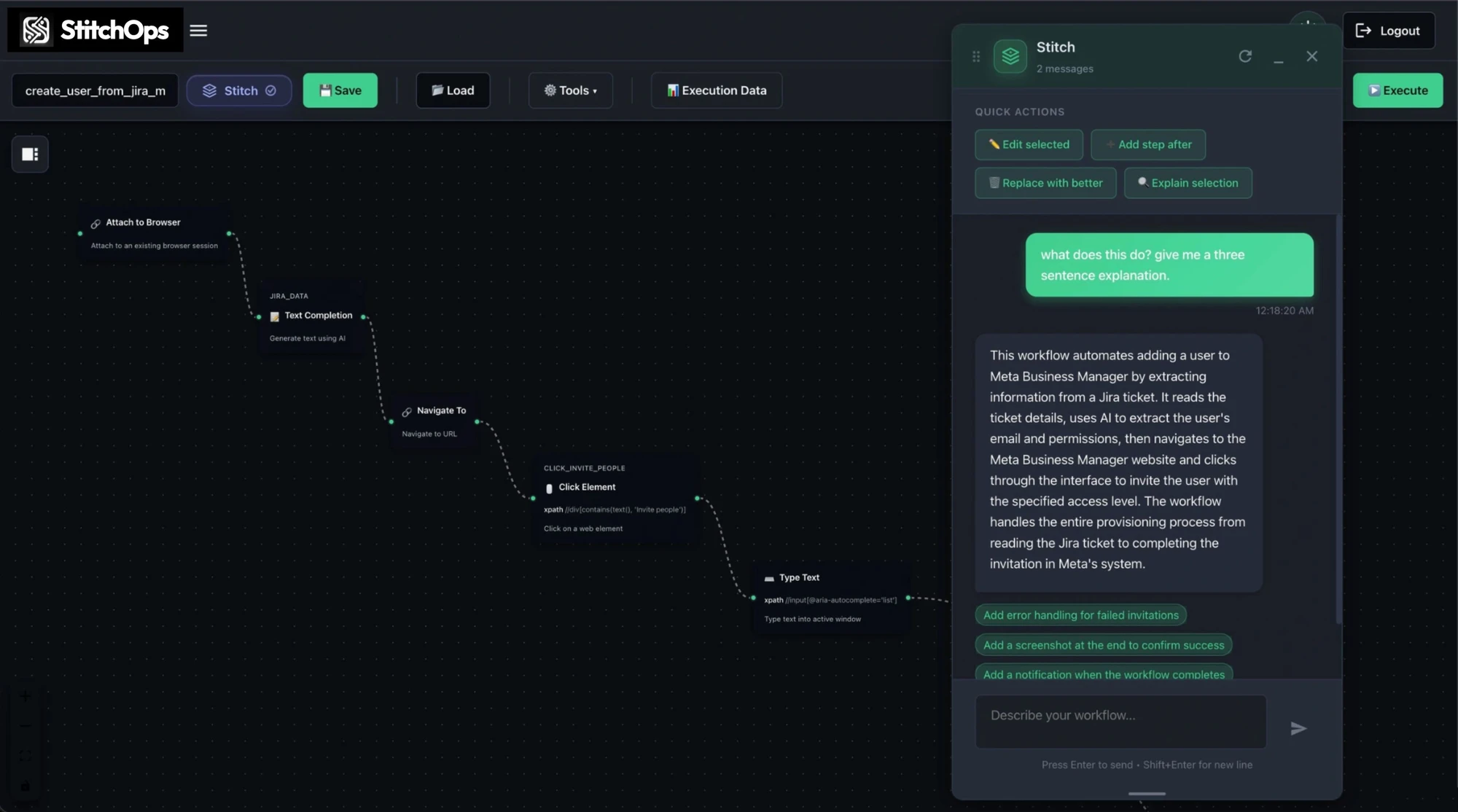
What StitchOps actually is
It operates your systems like a person would, under controls you set.
StitchOps logs in, reads the screen, and acts across portals, legacy desktop apps, and terminals. It runs deterministically, so the same inputs produce the same outputs, and every action is logged by the named element it touched.

Runs in your environment
The agent executes where your systems live. Sensitive data is processed locally, not routed through shared infrastructure.
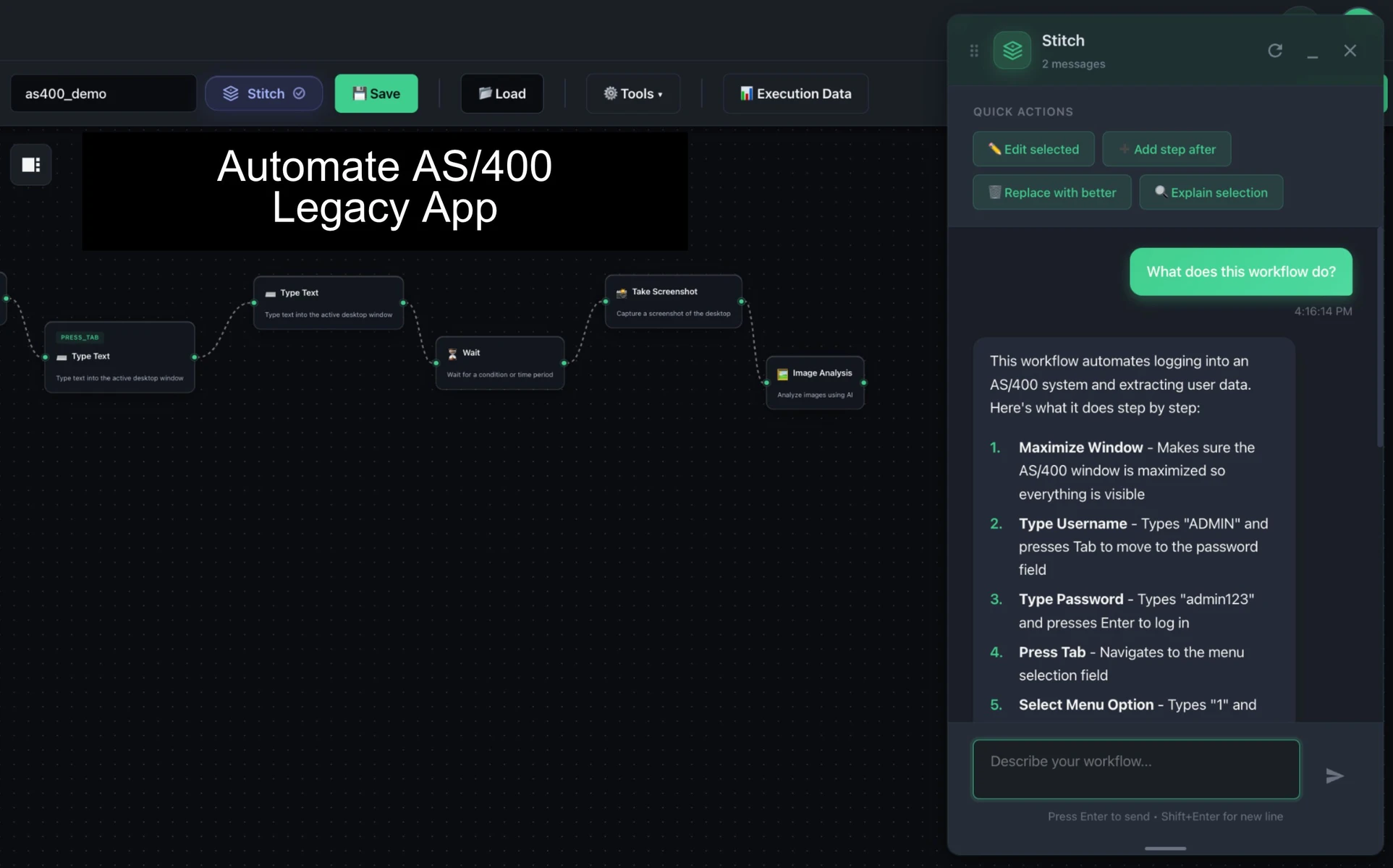
Survives UI changes
Computer vision targets elements by meaning, so workflows self-heal when a portal restyles instead of silently failing.

Deterministic and auditable
Same inputs, same outputs. Every action is logged by the named element it touched, ready for review.
Credentials never leave you
BYOKV keeps secrets in your own vault. StitchOps retrieves them at runtime and never stores them.
How it works
Authored with AI. Executed deterministically.
AI helps build the workflow once. At runtime nothing reasons its way to a new outcome. The agent connects outbound only, so no inbound ports open, and the cloud control plane never touches your sensitive data.
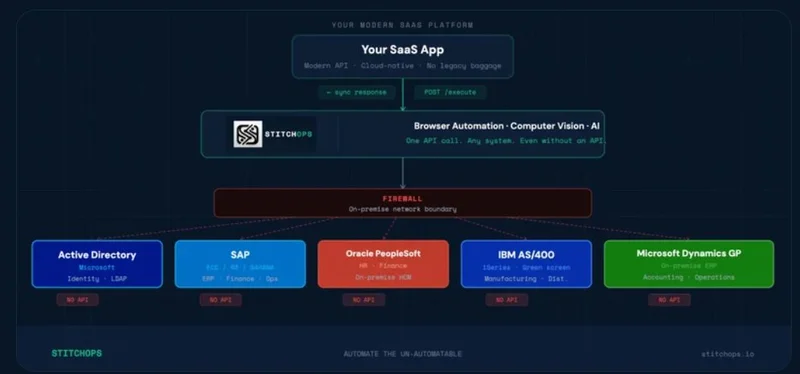
Identity Layer
Okta, Auth0, Entra handle who gets in. Mature and solved.
API Runtime
Arcade, Composio, and MCP act on the ~9% of systems that expose an API.
Execution Runtime
StitchOps acts on everything, including the 91% with no API. It completes the stack.
What a security review will ask
Built for the controls your review actually checks.
Credentials stay in your vault, sensitive data stays on your network, and telemetry is content-free. These are the controls that get automation approved by security, not blocked.
SOC 2 in progress
Type 1 report complete (April 2026, Sensiba LLP). Type 2 observation window running May to July 2026.
HIPAA via BAA
HIPAA-compliant deployments supported through a Business Associate Agreement where workflows touch PHI.
Walk your security team through it live
Scope one workflow. We deploy in your environment so your reviewers can verify data handling, credential custody, and logging firsthand.
Before and after StitchOps
Today the no-API queue is a risk. It does not have to be.
Manual work across no-API systems means shared credentials, stale access, and audit trails pieced together by hand. StitchOps replaces it with governed, logged execution.
Where to start
Scope one workflow. Review it. Then expand.
The fastest way to clear a security review is to watch the agent run in your own environment and confirm where data goes and how every action is logged.
1. Pick the painful one
Name the no-API workflow with shared logins or stale access that your last audit flagged.
2. Scope a POV
We define success criteria, controls to verify, and a clear window to show measurable results.
3. Deploy in your environment
The agent runs where your systems live. BYOKV keeps your credentials in your vault.
4. Review it, then expand
Your team verifies data handling and logging on a real run. Add the next workflow once approved.