
Automate the 91% of systems with no API.
Every tool you own stops where the API stops. Describe the workflow you run by hand and StitchOps builds it on a canvas, then runs the legacy portals, desktop apps, and government systems for you. Unattended.
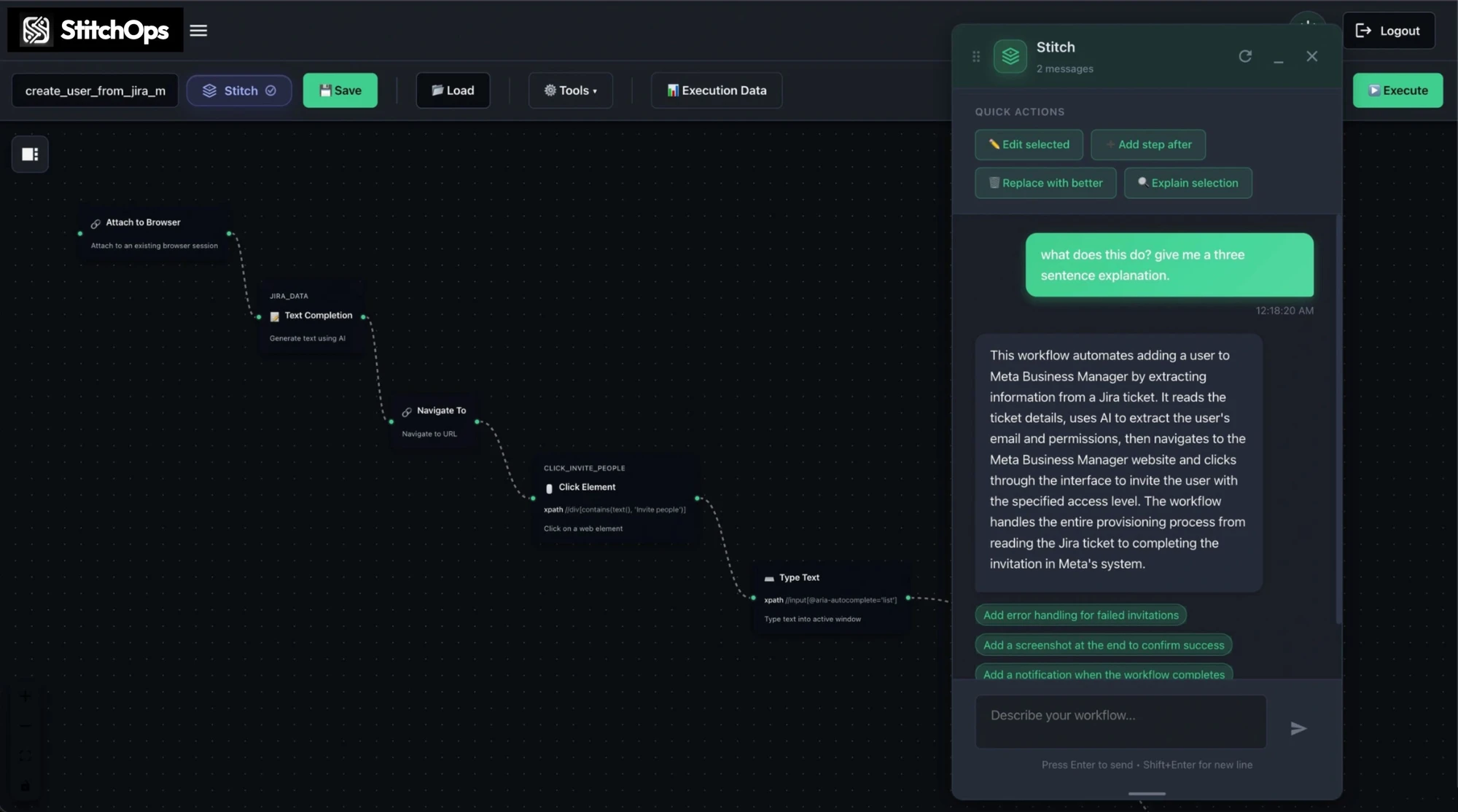
What StitchOps actually is
It does the clicking for you, across every system.
StitchOps logs in, reads the screen, clicks the right buttons, types, and pulls data across web portals, legacy desktop apps, and terminals. It uses computer vision to see the screen the way you do, so your workflow keeps running when a portal moves a button instead of silently breaking.
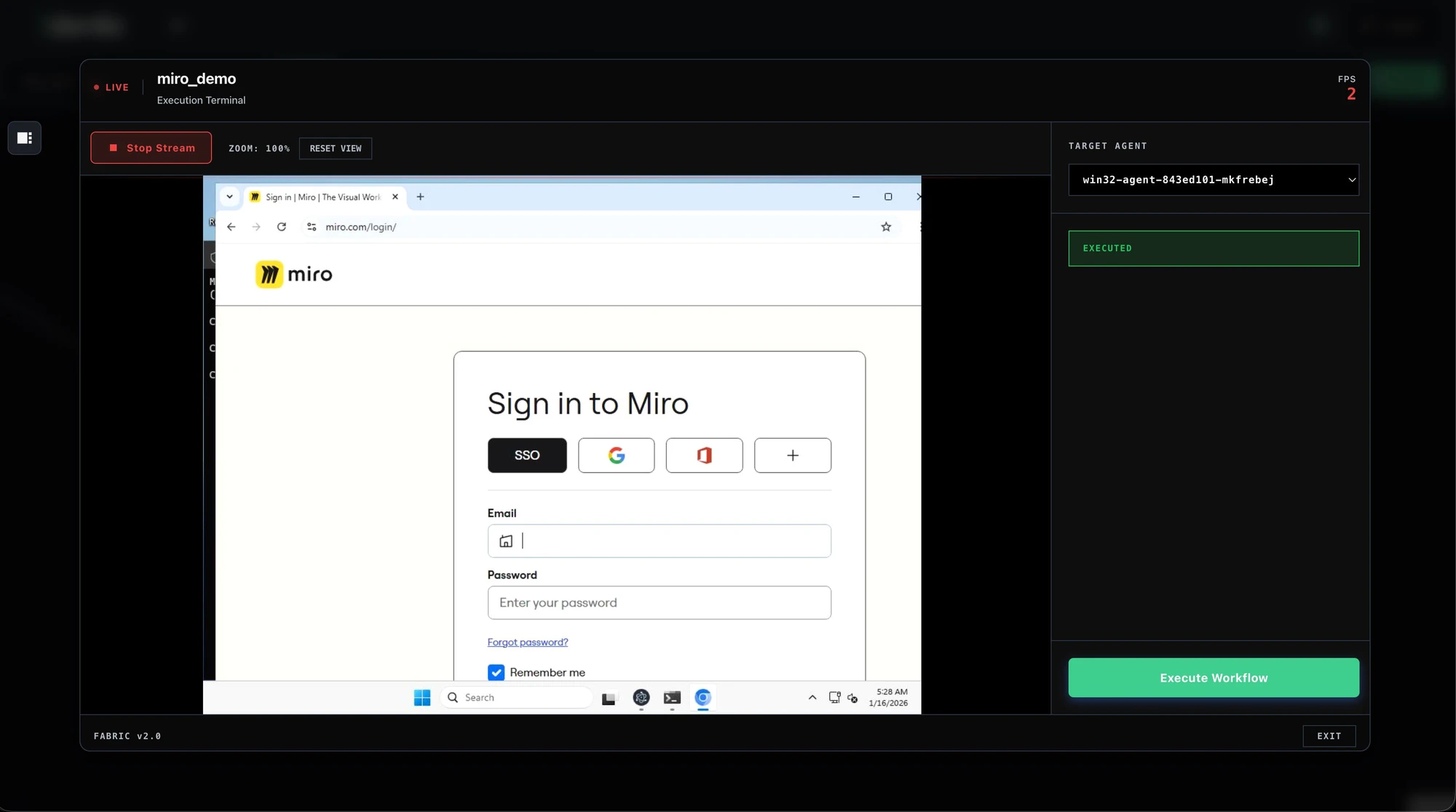
Drives any portal or app
Web portals, legacy desktop ERP, terminals, and government systems. No API needed.
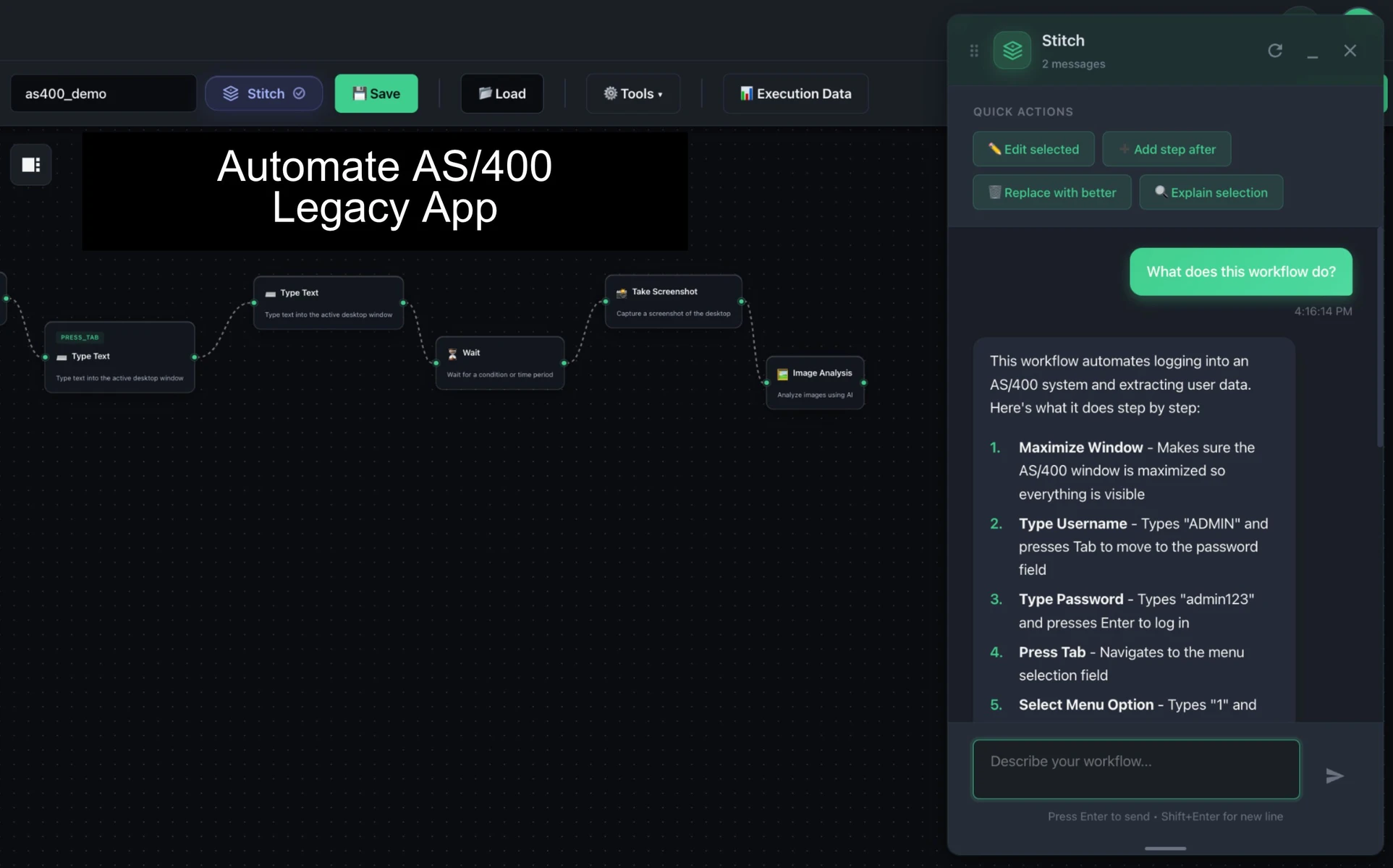
Survives UI changes
Computer vision re-reads the screen and self-heals when a portal restyles or moves a button.
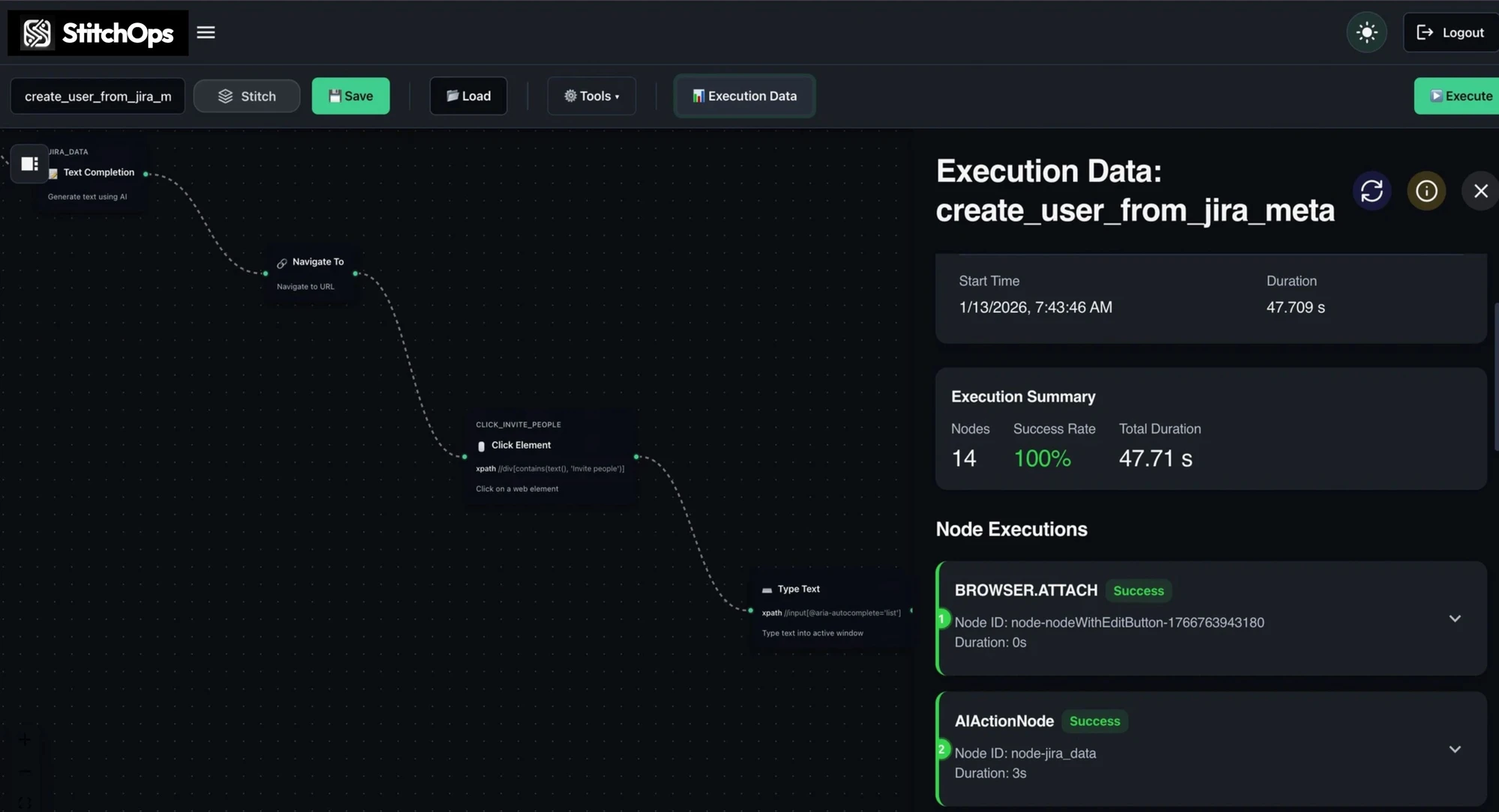
Deterministic and auditable
Same inputs, same outputs. Every action is logged by the named element it touched.
Credentials never leave you
BYOKV keeps secrets in your own vault. StitchOps retrieves them at runtime and never stores them.
How it works
Describe the workflow. Stitch builds it on a canvas.
Tell the AI assistant what you want in plain language. It generates a runnable visual workflow you can see and edit. Refine it by chatting, then run it on demand or on a schedule. No code, no recording clicks.
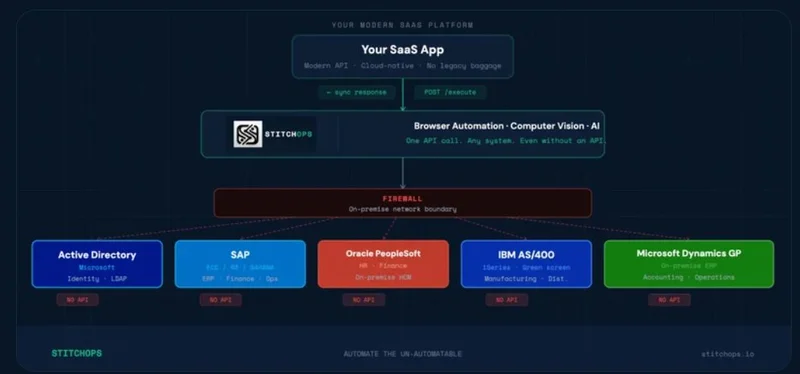
Identity Layer
Okta, Auth0, Entra handle who gets in. Mature and solved.
API Runtime
Arcade, Composio, and MCP act on the ~9% of systems that expose an API.
Execution Runtime
StitchOps acts on everything, including the 91% with no API. It completes the stack.
Why teams trust it in production
Build it once. Then leave it running unattended.
Once it works, schedule it and walk away. A live execution console shows each step as it runs, every run leaves an audit trail, and the agent runs inside your environment so security signs off, not blocks.
SOC 2 in progress
Type 1 report complete (April 2026, Sensiba LLP). Type 2 observation window running May to July 2026.
HIPAA via BAA
HIPAA-compliant deployments supported through a Business Associate Agreement where workflows touch PHI.
Build it on your hardest system
Pick one workflow that eats your week. We deploy in your environment and you watch it run before any larger commitment.
Before and after StitchOps
The manual queue never shrinks. Until you build the workflow.
Today you clear the queue by hand, one portal at a time. Build it once and the same work runs unattended and auditable, and adding the next system takes hours, not weeks.
Where to start
Build one workflow. Watch it run. Then expand.
Non-API automation is show-don't-tell. The fastest way to know it works is watching your own workflow run inside the exact system you were told could never be automated.
1. Pick the painful one
Name the workflow stuck on a system with no API. The one that eats hours every week.
2. Describe it to Stitch
Tell the AI assistant the steps in plain language. It builds a runnable workflow on the canvas.
3. Deploy in your environment
The agent runs where your systems live. BYOKV keeps your credentials in your vault.
4. Watch it run, then expand
See it execute live inside the real system. Add the next workflow portal by portal.