
UiPath automates what has an API. We automate the 91% that doesn't.
UiPath is strong on API-connected systems. But its bots record fixed selectors and break the moment a portal changes. StitchOps uses computer vision to run anywhere a human can log in and click.

What this looks like today
You bought UiPath. Now half your team babysits the bots.
A portal moves a button. The UiPath flow fails overnight. Someone re-records it, waits for a certified specialist and reruns the queue. The systems that hurt most, legacy desktop apps and no-API portals are exactly the ones RPA was never built to survive.
What StitchOps actually is
The execution runtime for the systems UiPath can't reach.
StitchOps reads the screen with computer vision instead of brittle selectors, so flows self-heal when a portal changes. Execution stays deterministic and auditable and credentials never leave your network with BYOKV.
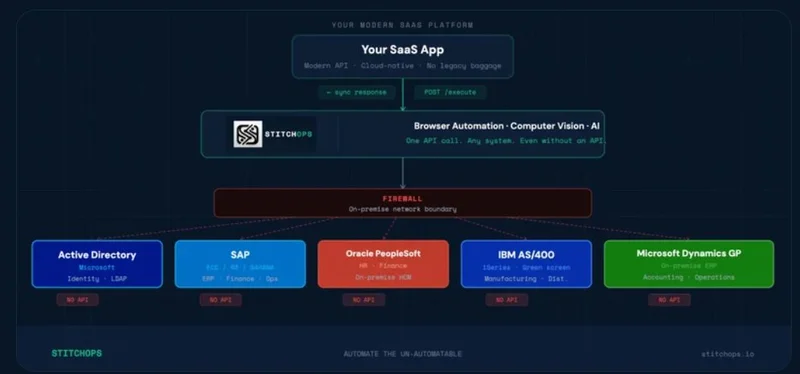
Covers 100% of your surface
Browser portals, legacy desktop ERP, terminal UIs and government systems. If a human can log in, StitchOps runs it.
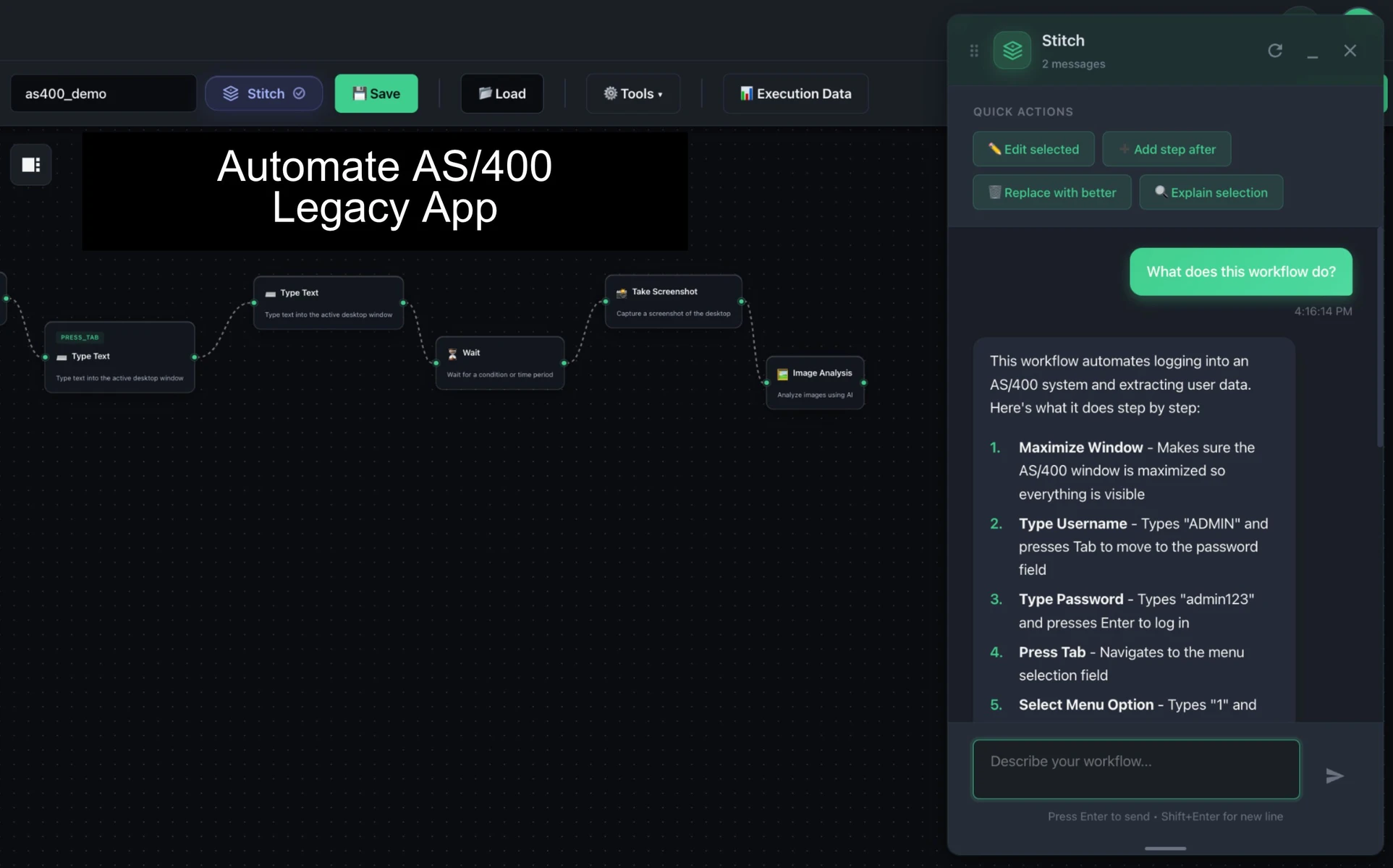
Survives UI changes
Computer vision targets elements semantically, so a moved button means the flow adapts instead of breaking.
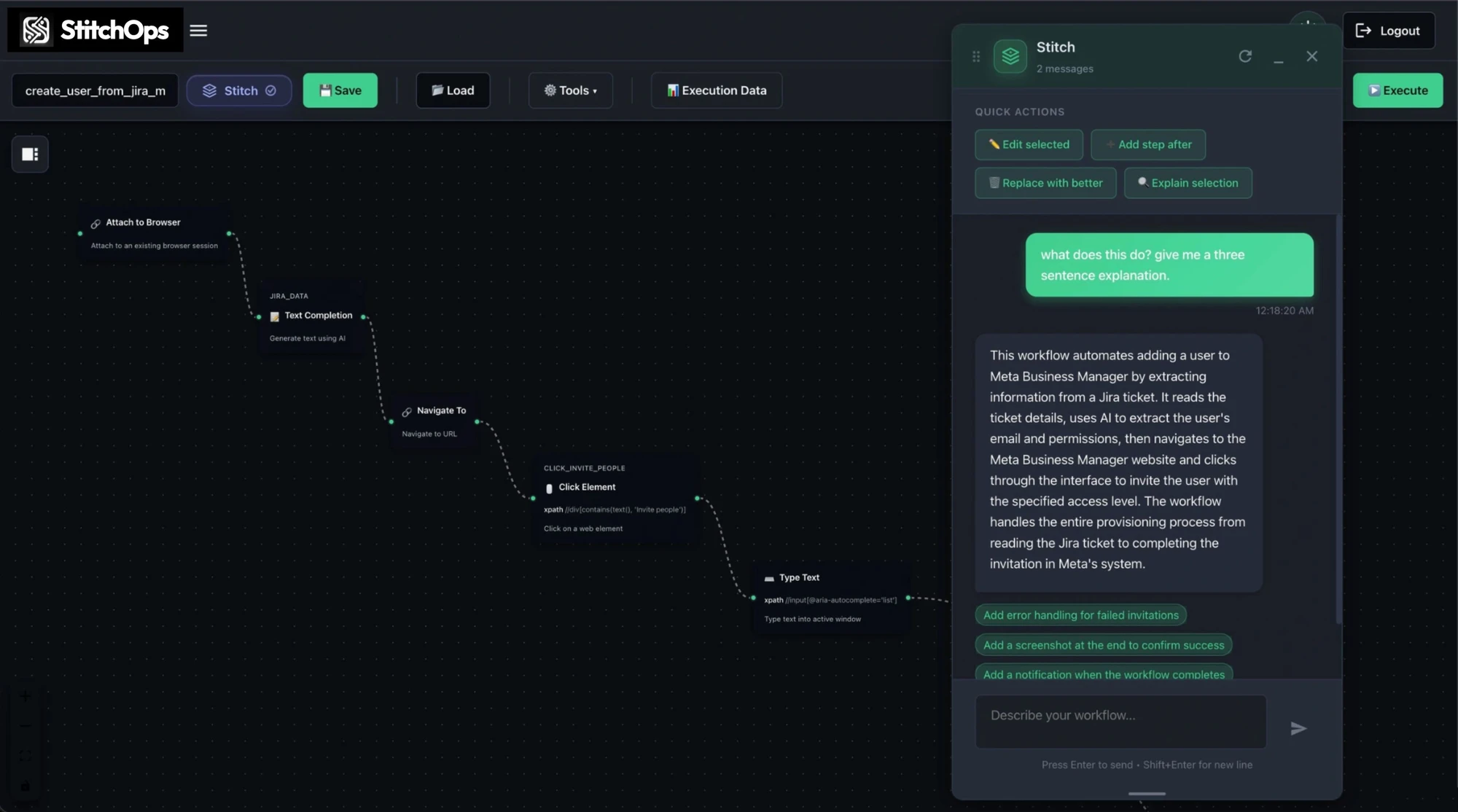
Authored in plain language
Describe the workflow and the AI builds a runnable visual flow. No certified specialists, no recorded clicks.
Secure by architecture
In-environment execution, BYOKV credential custody and content-free telemetry. Often the control that gets approved where others are blocked.

Why teams trust it
Proof that holds up in a security review.
These are StitchOps' published average outcomes for mid-size teams, plus the compliance posture your reviewers will ask about. Stated precisely, never embellished.
Prove it before you commit
The motion is a proof of value: scope one high-impact workflow, deploy in your environment, see measurable results first.
Runs alongside UiPath
No rip-and-replace on day one. Keep UiPath where it works and add the non-API coverage it never reached.
See it run in your hardest system
Pick the workflow UiPath could never automate. We'll run it live in a 30-minute demo.
Before and after
Same workflows. Without the babysitting.
A simple before-and-after of life on UiPath versus a self-healing runtime.
Switching from UiPath
Start with the one workflow that keeps breaking.
You don't rip out UiPath on day one. You take the workflow it can't keep alive, prove StitchOps on it, then expand from there.
1. Pick the painful workflow
Choose the flow UiPath breaks on most, or the no-API system it never reached at all.
2. Deploy in your environment
The agent runs where your systems live. Credentials stay in your vault via BYOKV.
3. Watch it run live
See measurable results on the real system inside a defined proof-of-value window.
4. Expand portal by portal
Add each new system as a sub-workflow until one runtime covers your whole surface.